




Vape Guides · 6 min
MTL, RDL or DL: Which Draw Style Suits You?
MTL, RDL or DL: ohm, watts, airflow, e-liquid and nicotine strength compared by draw style, and which pod system or tank suits your draw.
Black November until 22/11 See the deals New in 200 g: Anda Bestia Blanca, Hookain Witch Please To new arrivals
Black November until 22/11 See the deals RandM Tornado 7000: volume discount from 5 bottles To liquids
The Arcbear Pro 15000 consists of a rechargeable base device, a prefilled 10-ml refill container and an empty pod with a coil. You keep the battery; when you replace the pod, you swap the replacement set of container and empty pod. On the device you choose ECO at 12 W or BOOST at 20 W.

The refill container holds the e-liquid. It is connected to the empty pod, which contains the coil: the heating element, here a dual mesh with two mesh heating surfaces. This connected unit goes onto the base device. That is more than a single prefilled pod.
The base device supplies the power. When you buy a replacement, you receive container and empty pod together; you do not need a separate spare coil for this.
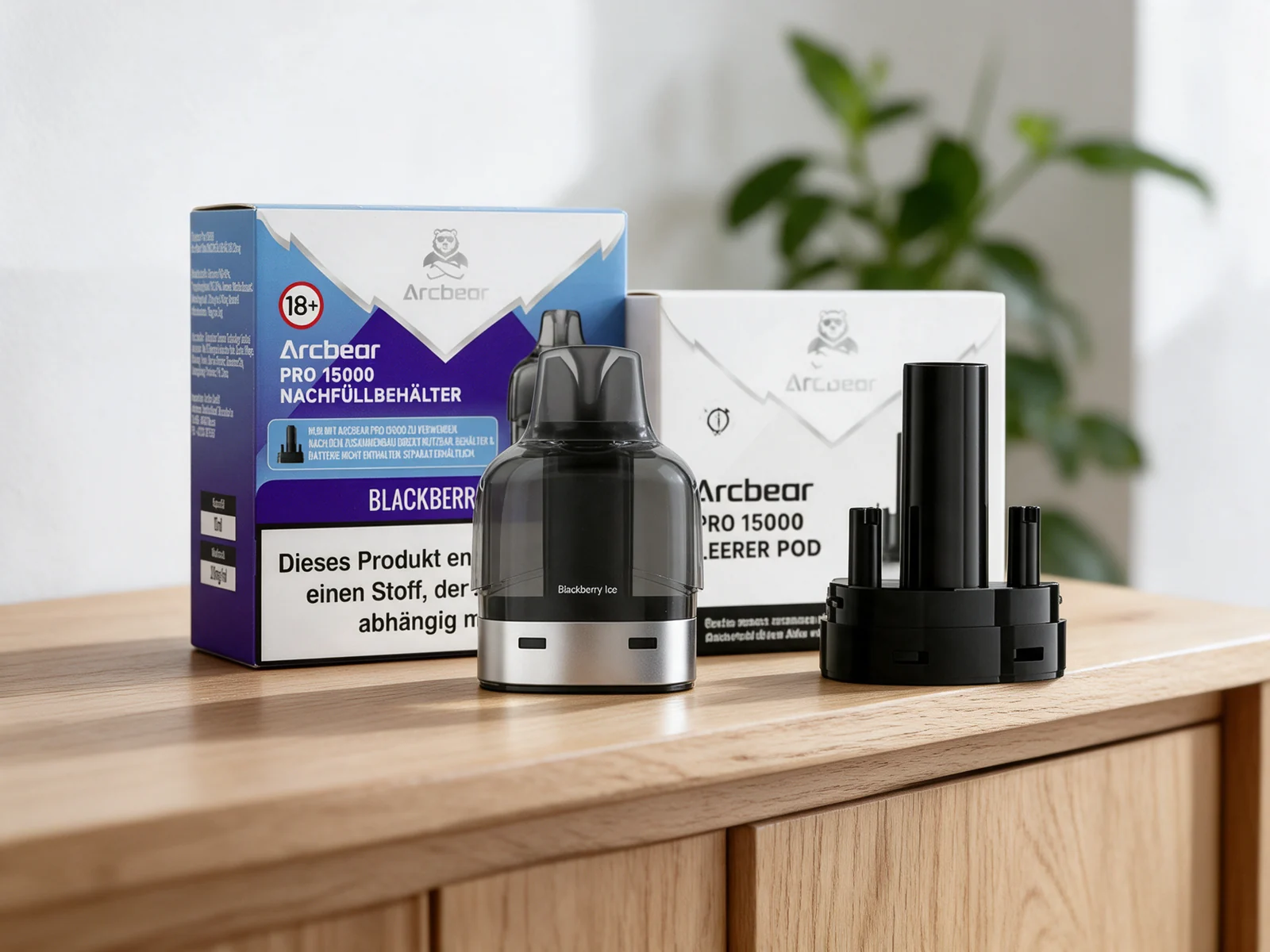
| Part | Function | When replacing |
|---|---|---|
| Base device | 1000 mAh battery, USB-C, display and operating button | Stays in use |
| Refill container | 10 ml prefilled e-liquid with 20 mg/ml nicotine salt | Replaced with the replacement set |
| Empty pod | Vaporiser unit with a permanently built-in dual mesh coil | Included with the new replacement set |
The draw activation starts vaporising as soon as you draw on the mouthpiece. The button is for operation and locking; it is not a fire button that you have to hold down while drawing.
ECO works at 12 watts, BOOST at 20 watts. The display shows the battery level, operating mode and lock status. Charge the device via USB-C. You will find the click sequence for unlocking and switching in the instructions supplied; then check the display.
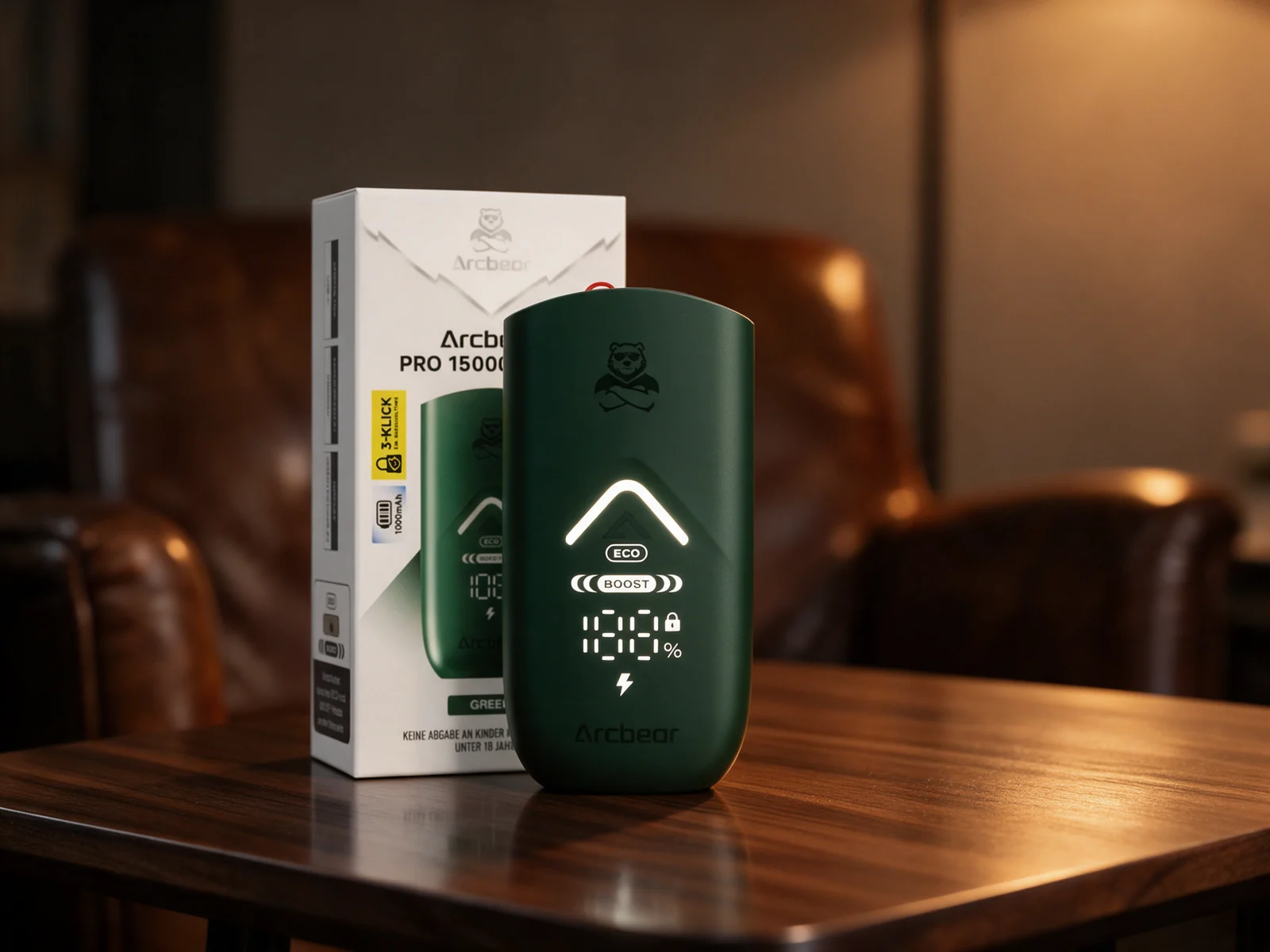
The higher BOOST power does not mean a fixed additional puff count or a fixed battery runtime. How quickly battery and e-liquid are used up also depends on your puffs. You will find specific hardware details on the Arcbear base device Blue page.
Contains the battery and the display. Refill container and empty pod are not included with the base device on its own.
Two consumable parts: prefilled refill container and empty pod with coil. The battery is separate.
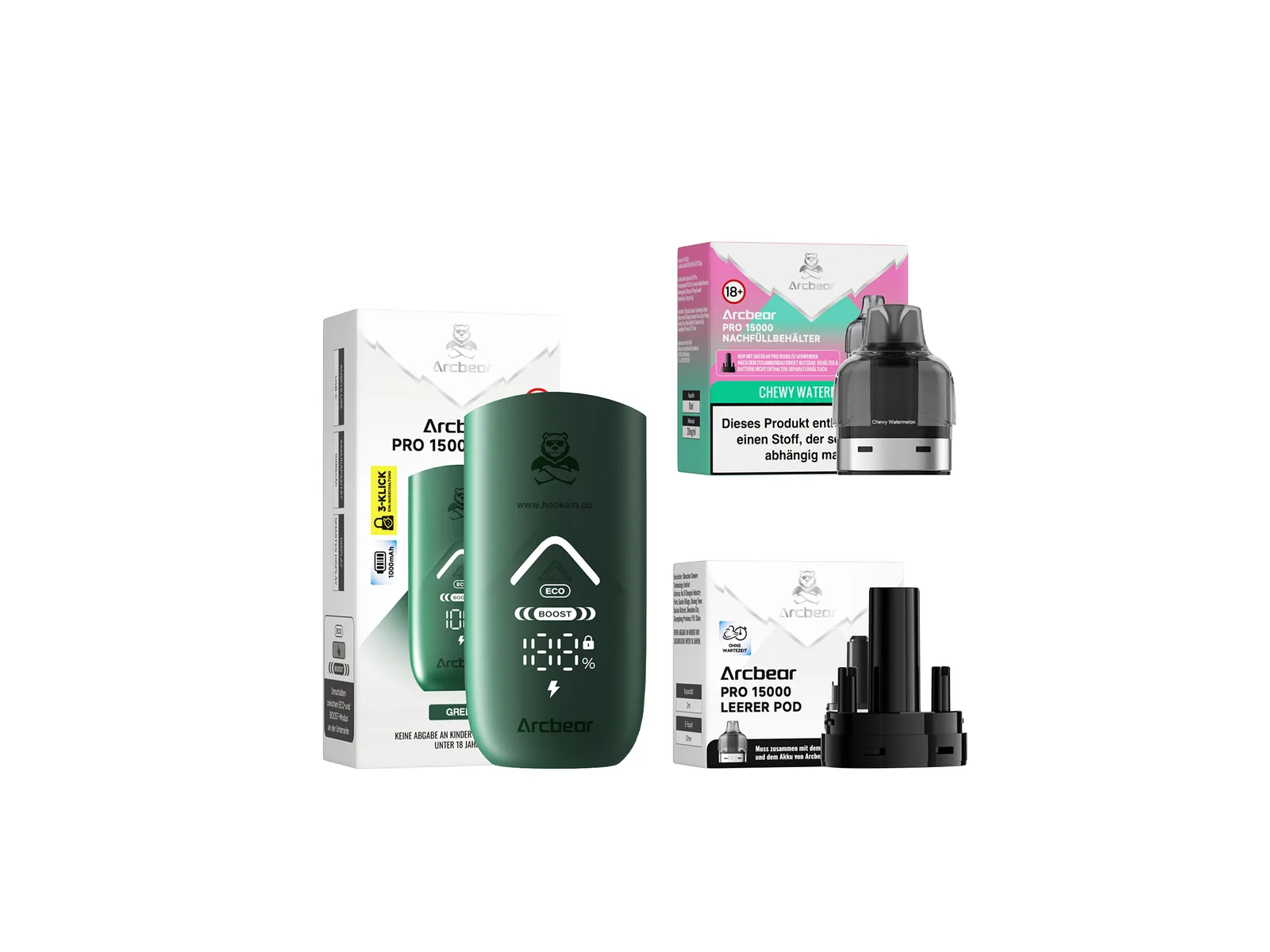
Base device and replacement set together: battery, e-liquid container and empty pod. The picture shows the components included.
A specific example of a replacement is the Arcbear Pod Cherry Cola. It contains no battery. The Starter Kit Ice Mint, by contrast, contains device and consumable parts together.
Stop using it and disconnect the charging cable. Lock the device using the button sequence described in its instructions. Pull the used unit straight off without levering at the mouthpiece.
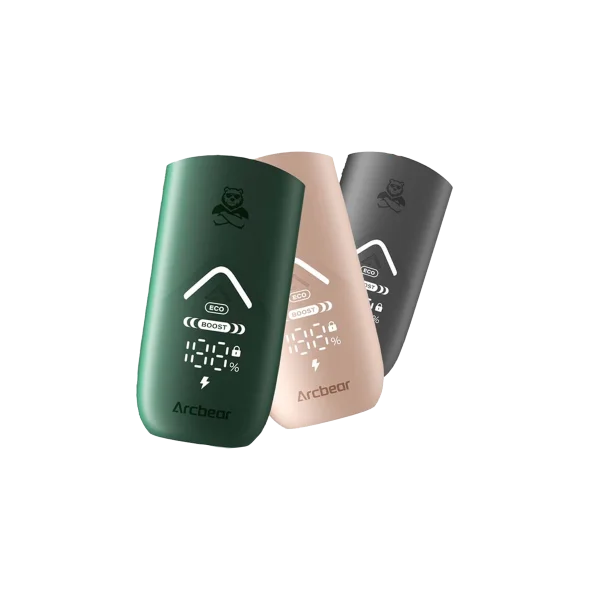
Take the refill container and empty pod out of the packaging. Remove the protective parts provided, following the instructions enclosed. The photo shows both components still separate.
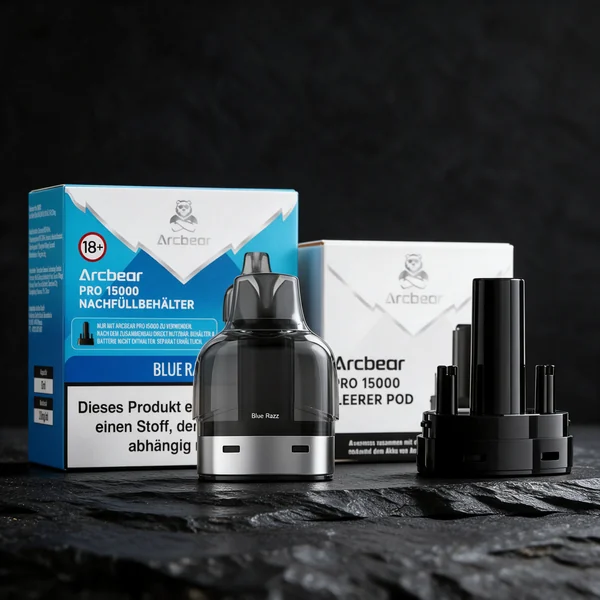
Guide the empty pod into the underside of the refill container until the connection clicks into place. The coil stays in the empty pod; you do not insert a loose heating coil.
Insert the connected pod module straight into the base device. It must sit firmly; do not force anything in. If the instructions on your pack mention a waiting time before the first puff, observe it.
Unlock the device according to its instructions and check the battery level and the ECO/BOOST indicator. When you draw, the draw activation activates the coil. If the pod begins to taste dry or burnt, do not keep drawing.
| Symptom | Check | Next step |
|---|---|---|
| No vapour when drawing | Check battery level, lock status, pod seating and protective parts | Charge an empty battery, unlock the device, insert the unit correctly |
| New set sits loosely | Are empty pod and container fully clicked in? | Check the connection; do not insert third-party pods or tools |
| Taste is burnt | E-liquid used up or coil dry? | Do not keep drawing; replace the used replacement set |
| E-liquid leaks or the device gets unusually hot | Damage or malfunction possible | Stop using and charging; do not continue to use the damaged unit |
Do not top up the sealed refill container with your own e-liquids. Replace the Arcbear Pro 15000 replacement set intended for this. A worn-out coil does not become usable again through longer puffs. Further causes are explained in Pod tastes burnt.
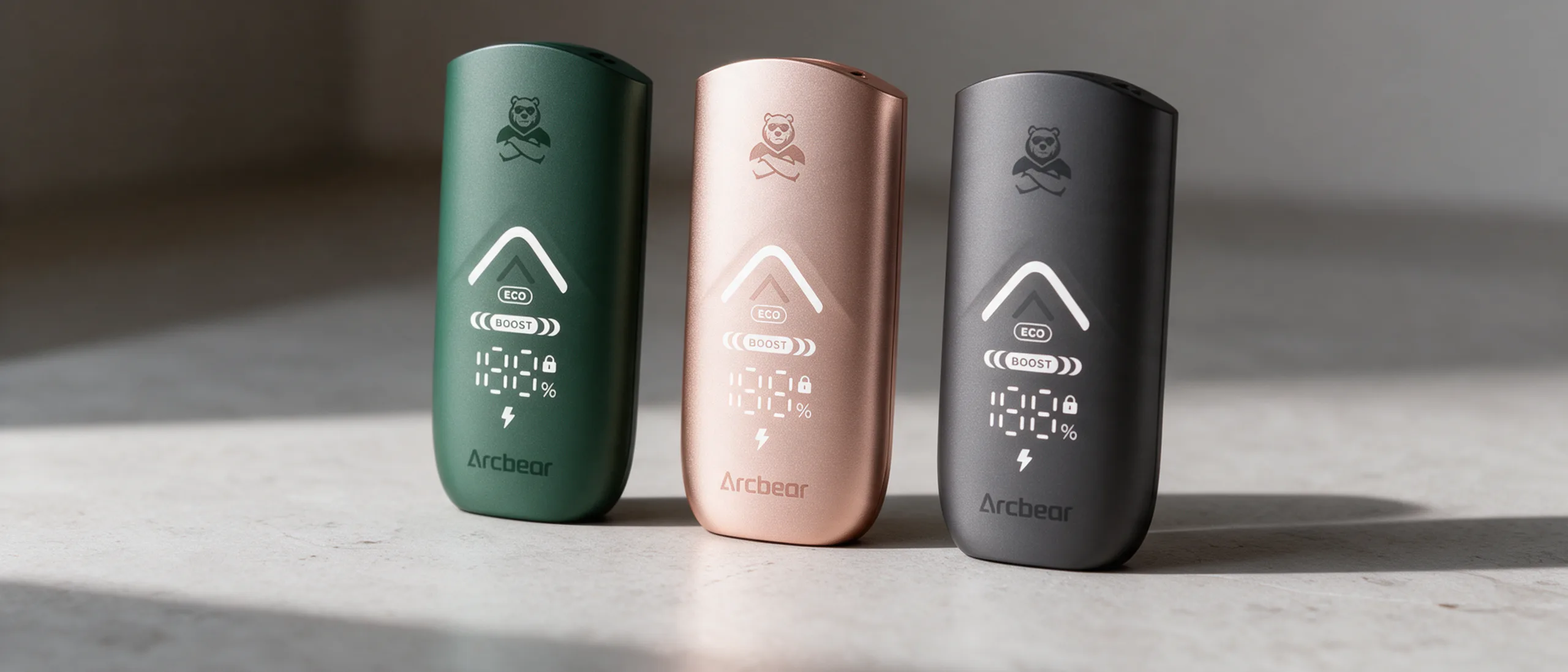
Blue, Grey or Green refer to the colour of the base device sold on its own. Cherry Cola or Ice Mint refer to the flavour of the refill container. A new flavour therefore does not require a new battery. With the Starter Kit, the device colour cannot be selected separately.
The Arcbear brand page leads to base devices, replacement sets and kits. Use only replacement sets of the Pro 15000 series; a similar shape or the same puff count does not make third-party pods fit.
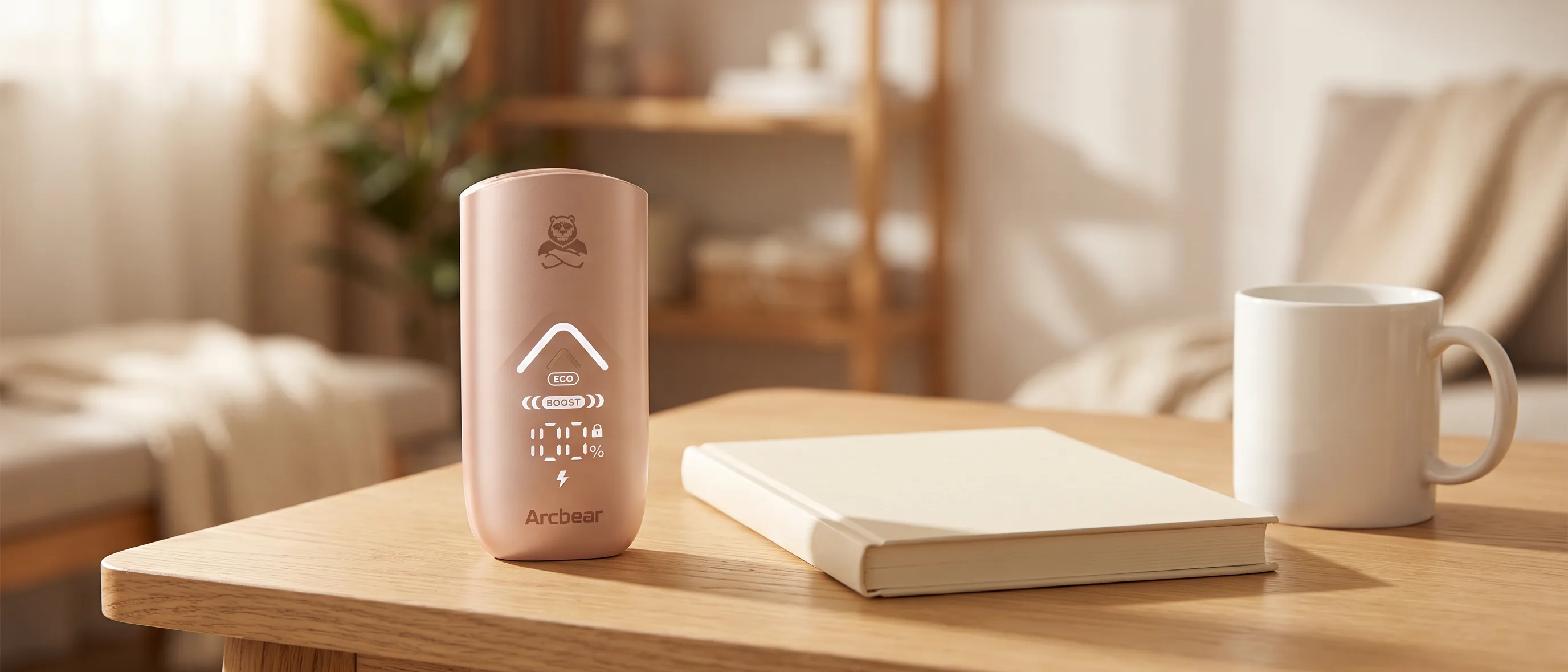
“Up to 15,000 puffs” is a product specification and not a guaranteed usage quantity. Puff duration, mode and usage change consumption. Without exact test conditions, no personal puff count can be derived from 10 ml of e-liquid.
The article Understanding the puff count explains these figures. The general choice between prefilled and refillable devices is covered in Prefilled or open pod. You dispose of empty consumable parts and the device as described in Disposing of vapes correctly.
No. The rechargeable battery is retained. You swap the replacement set of e-liquid container and empty pod.
A prefilled 10-ml refill container and an empty pod with a permanently built-in dual mesh coil. The base device is not included.
Not for the Arcbear replacement set. The new coil is already in the empty pod supplied.
The Arcbear refill container is supplied prefilled and is not intended for manual refilling.
The two systems cannot be combined. The Arcbear Pro 15000 needs the matching Arcbear Pro 15000 replacement sets.
No. The “up to” figure is not a personal measured value. How many puffs are possible depends, among other things, on puff duration and power mode.

About the author
Philip
Vape veteran
For this article
From the same series
Vape Guides · 6 min
MTL, RDL or DL: ohm, watts, airflow, e-liquid and nicotine strength compared by draw style, and which pod system or tank suits your draw.

Vape Guides · 6 min
Prefilled pod or empty pod: fill volume, nicotine, flavours, effort and running costs compared, plus the 10-ml systems and which system suits you.

Vape Guides · 7 min
Buying a pod system: resistance, battery, fixed or replaceable coil, airflow and draw activation explained, plus which pods and coils fit which device.
Advice & knowledge
Tools
Knowledge